

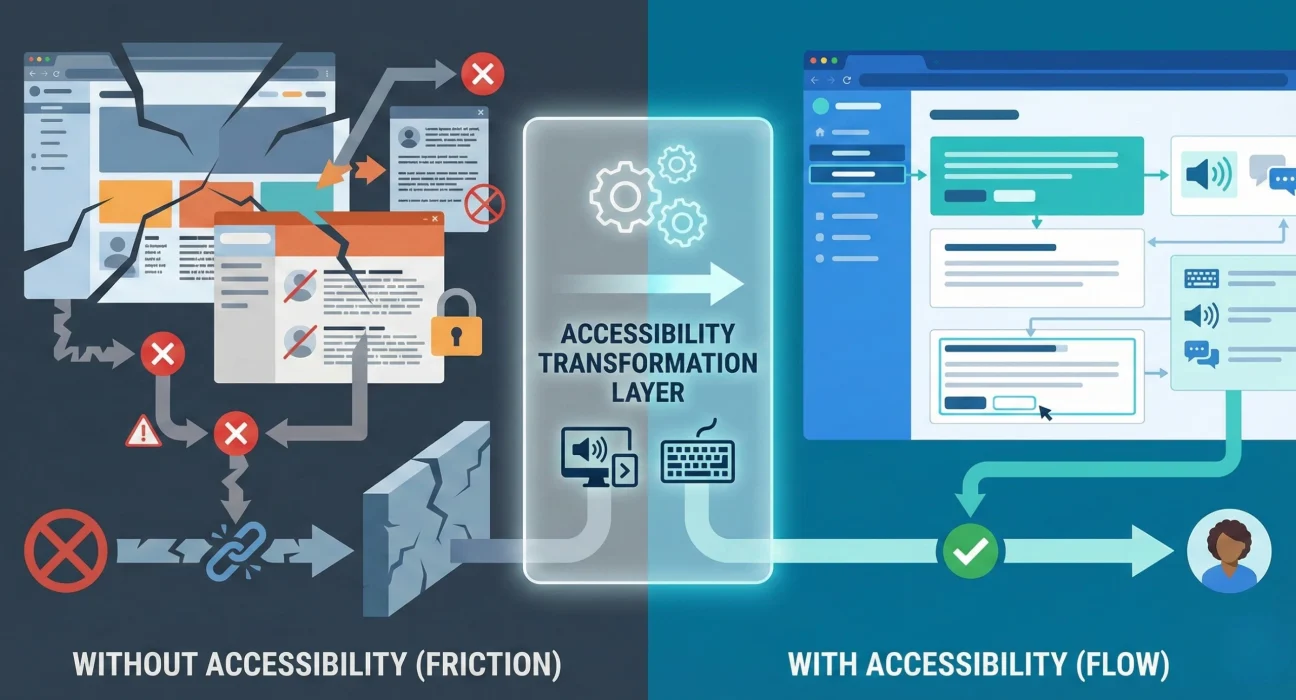
A major Indian bank launched a redesigned customer portal last year. Modern interface. Mobile-responsive. Fast loading times. By most measures, a successful digital transformation project.
Three weeks after launch, they started receiving complaints. Customers using screen readers couldn’t complete loan applications. The colour contrast made text unreadable for users with visual impairments. Keyboard navigation didn’t work properly. People with motor disabilities couldn’t use the dropdown menus.
The bank hadn’t ignored accessibility deliberately. It simply wasn’t part of how they thought about digital delivery. It wasn’t in the requirements. It wasn’t in the testing plan. Nobody owned it. And now they faced potential legal exposure, reputational damage, and the cost of retrofitting accessibility into a system that was already live.
This happens more often than most enterprises admit. Accessibility is treated as a nice-to-have feature, a compliance checkbox, or something to address “later.” But in reality, it’s a fundamental business requirement that affects risk, reach, reputation, and return on investment.
Why accessibility matters for enterprise digital platforms
Let me be direct about the numbers. In India alone, over 70 million people have significant disabilities. Globally, it’s over a billion. These aren’t edge cases. These are customers, employees, partners, and stakeholders who interact with your digital platforms every day.
Beyond the moral and legal obligations which are real there’s a straightforward business case. When your website or application isn’t accessible, you’re excluding a significant portion of your potential user base. You’re creating barriers for talented employees. You’re exposing yourself to legal risk. And you’re building technical debt that becomes expensive to fix later.
In many sectors, accessibility is already mandatory. Government websites in India must comply with GIGW (Guidelines for Indian Government Websites). Financial services face regulatory requirements. Healthcare organisations deal with patient rights. Education platforms have legal obligations. These aren’t optional standards. They’re enforceable requirements.
But compliance is just the baseline. The real strategic question is whether your digital platforms are genuinely usable by everyone who needs to use them regardless of disability, age, technical literacy, device, or connection quality.
Most enterprise leaders I work with underestimate how often accessibility issues affect their own organisations. An aging workforce struggling with small fonts and low contrast. Employees recovering from injuries who need keyboard navigation. Customers in rural areas with slow internet connections who benefit from accessibility features that reduce data load. Sales teams presenting on projectors in bright rooms where colour contrast matters.
Accessibility isn’t a separate use case. It’s about designing systems that work reliably across the full spectrum of human diversity and real-world conditions.
The hidden costs of inaccessible digital platforms
When accessibility is an afterthought, the costs show up in ways that aren’t always immediately obvious.
Legal and regulatory risk. Accessibility lawsuits are increasing globally. In markets like the US, UK, and EU, companies face serious legal action for inaccessible websites. India is moving in the same direction. The Rights of Persons with Disabilities Act, 2016 establishes clear obligations. Court cases are beginning to emerge. As a CXO, you don’t want to explain to your board why the company is facing legal action over something that should have been handled during development.
Lost revenue and market exclusion. Every inaccessible touchpoint is a conversion barrier. If customers can’t complete a purchase, submit an application, or access information because of accessibility failures, you lose business. In competitive markets, they’ll simply go to a competitor whose platform works better for them. These aren’t hypothetical organisations that improve accessibility consistently see measurable increases in conversion rates and customer satisfaction.
Employee productivity and inclusion. Internal systems with accessibility problems create real barriers for employees with disabilities. This limits your talent pool, affects retention, and can create hostile work environments—with associated HR and legal implications. In a tight talent market, this matters. Good people have choices. They’ll choose organisations whose tools work for them.
Brand and reputation damage. Accessibility failures become public quickly. Social media amplifies these stories. Advocacy groups are organised and vocal. Negative coverage affects brand perception, particularly among younger consumers who expect corporate responsibility. Repairing reputation damage is far more expensive than building accessible platforms from the start.
Retrofitting costs multiply. Fixing accessibility issues after launch costs 10 to 100 times more than building them in from the beginning. You’re not just changing code you’re redesigning interfaces, restructuring content, rewriting workflows, retesting everything, and managing change with frustrated users. I’ve seen enterprise projects spend millions retrofitting accessibility that could have been built in for a fraction of that cost.
Technical debt and maintenance burden. Inaccessible code tends to be fragile code. It breaks in unexpected ways. It creates dependencies that make future changes harder. It doesn’t degrade gracefully when things go wrong. Over time, this compounds into technical debt that slows down all development and increases operational risk.
These costs are real, measurable, and avoidable. But avoiding them requires making accessibility a first-class requirement from the earliest stages of any digital initiative.
What actually goes wrong in enterprise accessibility programs
Most enterprises don’t set out to build inaccessible platforms. But certain patterns in how large-scale digital transformation programs are executed almost guarantee accessibility problems.
Accessibility is added to the scope late. The project is well underway. Designs are approved. Development is in progress. Then someone often legal or compliance asks about accessibility. Now it’s treated as additional work, a change request, something that threatens timelines and budgets. Teams resist. Compromises are made. The result is partial compliance at best.
No one owns accessibility outcomes. There’s a project manager for delivery. A technical lead for the platform. A business sponsor for outcomes. But who owns whether the platform is actually accessible? Often it falls between cracks. Design teams assume developers will handle it. Developers assume it’s a design concern. QA teams don’t have accessibility expertise. No single person is accountable.
Testing is superficial or non-existent. Automated accessibility checkers catch perhaps 30% of real accessibility issues. The rest requires human testing with assistive technologies, with actual users who have disabilities, under realistic conditions. Most enterprise projects skip this. They run an automated scan, fix a few obvious issues, and move on. Critical problems remain undetected until real users encounter them.
Vendor dependencies create gaps. Large enterprise platforms integrate multiple systems CMS, CRM, payment gateways, authentication systems, third-party widgets. Each vendor has different accessibility standards. Some components are accessible, others aren’t. The integration layer introduces new problems. No one has end-to-end accountability. The user experience has accessibility gaps even if individual components pass tests.
Legacy systems constrain solutions. Many digital transformation programs involve wrapping modern interfaces around legacy backends. The old system’s limitations data structures, APIs, workflows—constrain what’s possible in the new interface. Accessibility improvements that seem straightforward hit technical walls. Teams choose between accessibility and timeline, and accessibility usually loses.
Procurement doesn’t include accessibility requirements. When selecting vendors, platforms, or components, accessibility isn’t in the RFP criteria or evaluation scorecard. Decisions get made based on features, cost, and timeline. By the time accessibility comes up, you’re locked into technologies that make it harder or impossible to achieve full accessibility.
Budget pressure deprioritises accessibility. Projects run over budget they almost always do. When tough choices have to be made, accessibility features get deferred to “phase 2.” Phase 2 either never happens or happens years later when the cost and complexity have multiplied.
These are execution failures. They stem from how enterprise programs are structured, governed, and delivered. Technology can support accessibility, but processes and priorities determine whether it actually happens.
The foundation: what accessibility actually means
Before discussing solutions, let’s be clear about what we mean by accessibility. It’s not just screen reader support or adding alt text to images though those matter.
Web accessibility means that people with disabilities can perceive, understand, navigate, and interact with digital platforms effectively. This covers:
Visual disabilities. People who are blind, have low vision, are colour blind, or have other visual impairments. They might use screen readers, screen magnifiers, high-contrast modes, or custom colour schemes. Your platform needs to work with all these assistive technologies.
Hearing disabilities. People who are deaf or hard of hearing. Video and audio content need captions and transcripts. Visual indicators are needed for audio alerts. Important information can’t be conveyed only through sound.
Motor disabilities. People with limited mobility, tremors, or conditions affecting their ability to use a mouse. They navigate using keyboards, voice commands, eye-tracking, or other adaptive devices. Your interface needs to work without precise mouse control.
Cognitive and neurological disabilities. People with dyslexia, autism, ADHD, or cognitive impairments. Clear language, consistent navigation, sufficient time to complete tasks, and options to reduce motion or distractions all matter.
Temporary and situational disabilities. A broken arm. Bright sunlight makes screens hard to read. Noisy environments where audio isn’t useful. Slow internet connections. Accessibility features help everyone in these situations, not just people with permanent disabilities.
The gold standard is WCAG Web Content Accessibility Guidelines. Version 2.1 Level AA is what most regulations require. It’s comprehensive, detailed, and testable. But WCAG isn’t simple. It includes dozens of criteria across four principles: perceivable, operable, understandable, and robust.
Achieving real accessibility requires understanding these principles, applying them throughout design and development, and testing rigorously. It’s not something you add at the end. It’s baked into every decision about information architecture, visual design, interaction patterns, content, and code.
Building accessibility into enterprise delivery from the start
Successful accessibility in enterprise programs isn’t about heroic efforts late in the process. It’s about systematic integration throughout the delivery lifecycle.
Establish accessibility requirements upfront. Before design begins, be explicit about accessibility standards. WCAG 2.1 Level AA should be your baseline. Document these requirements clearly. Include them in vendor contracts. Make them non-negotiable. When accessibility is in the requirements from day one, it’s planned for, budgeted for, and built in not retrofitted.
Appoint clear ownership. Someone needs to own accessibility outcomes. This can’t be a part-time responsibility. In large programs, you need dedicated accessibility expertise someone who understands WCAG, knows how to test with assistive technologies, can review designs and code, and can guide teams through implementation decisions. This person needs authority to flag issues and stop releases if accessibility standards aren’t met.
Design with accessibility as a core constraint. Designers need to understand accessibility principles as deeply as they understand visual hierarchy or brand guidelines. Colour contrast ratios, font sizes, focus indicators, heading structures, form labels, error messaging these need to be part of every design decision. Wireframes and mockups should be reviewed for accessibility before they become development specifications.
Build component libraries with accessibility built in. Rather than expecting every developer to implement accessible buttons, forms, modals, and navigation from scratch, create reusable components that handle accessibility correctly. This ensures consistency, reduces errors, and speeds up development. These component libraries become organisational assets that benefit every project.
Train development teams on accessible coding. Most developers haven’t been taught accessible HTML, ARIA attributes, keyboard event handling, or how screen readers interpret code. This isn’t complicated, but it needs to be learned. Invest in training. Make accessible coding part of your coding standards and peer review processes.
Test continuously with assistive technologies. Don’t wait until UAT. Test as you build. Screen readers like NVDA or JAWS should be running during development. Test keyboard navigation. Check colour contrast. Validate HTML. Automated tools catch obvious issues. Manual testing catches the rest. Build this into your definition of done.
Include users with disabilities in testing. Automated tools and developer testing catch technical compliance. But real usability issues are discovered by real users. Engage people who actually use screen readers, voice commands, or other assistive technologies. Watch them use your platform. Listen to their feedback. Fix what doesn’t work before launch, not after.
Make accessibility part of vendor selection. When evaluating third-party components, SaaS platforms, or development partners, include accessibility in your criteria. Ask for VPAT (Voluntary Product Accessibility Template) documentation. Request demonstrations with assistive technologies. Check references specifically on accessibility delivery. Don’t lock yourself into platforms or vendors with poor accessibility support.
Plan for ongoing accessibility maintenance. Accessibility isn’t achieved once. Every content update, feature addition, or design change can introduce new accessibility issues. You need ongoing governance automated checks in your deployment pipeline, periodic manual audits, processes for fixing issues quickly, and training for content authors and designers joining the team.
This level of rigour is uncommon in enterprise programs. It requires discipline, investment, and executive commitment. But it’s what separates organisations that achieve genuine accessibility from those that end up with expensive retrofits or legal problems.
The business value of accessible design
Let me shift from risk avoidance to positive value creation. Organisations that prioritise accessibility don’t just avoid problems they gain tangible advantages.
Broader market reach. Accessible platforms work for more people. This directly expands your addressable market. In sectors like banking, insurance, healthcare, and government services, reaching underserved populations with disabilities represents significant growth opportunities. These customers are often loyal to organisations that serve them well because so few do.
Better SEO and findability. Many accessibility practices, semantic HTML, clear heading structures, descriptive link text, alt text for images also improve search engine optimisation. Search engines and screen readers interpret content similarly. Making your content accessible to people often makes it more accessible to search engines.
Improved overall UX. Accessibility features benefit everyone. Clear navigation helps all users find information faster. Good colour contrast improves readability in any lighting. Keyboard shortcuts speed up tasks for power users. Captions help people watching videos in sound-sensitive environments. When you design for edge cases, the centre improves too.
Mobile and responsive design alignment. Accessible design principles align closely with mobile best practices. Large touch targets, clear focus states, flexible layouts, content that adapts to different screen sizes serve both accessibility and mobile users. You’re solving multiple challenges with integrated thinking.
Future-proofing and flexibility. Accessible code tends to be cleaner, more semantic, and more maintainable. It works across different devices, browsers, and assistive technologies. It adapts better to future technologies. You’re building platforms that last rather than creating technical debt.
Competitive differentiation. In many industries, truly accessible digital experiences remain rare. Doing this well differentiates your organisation. It signals values, attention to detail, and quality. For socially conscious customers and employees, this matters in brand perception and loyalty.
Risk mitigation. Beyond legal compliance, accessible platforms reduce operational risk. They’re more robust, handle edge cases better, and fail gracefully. They’re less likely to break when users do unexpected things or use different technologies.
The ROI of accessibility is real. Organisations measure it in reduced legal exposure, increased conversion rates, broader market access, lower support costs, and improved employee satisfaction. It’s not a soft benefit; it shows up in P&L and risk registers.
How leadership makes accessibility succeed
Accessibility doesn’t happen by accident in large enterprises. It requires active leadership commitment and the right governance structures.
The most effective CXOs I’ve worked with do several things consistently:
They make accessibility a stated priority. Not buried in technical requirements but called out as a strategic objective. They communicate this to the organisation, vendors, and partners. They ask about it in steering committee meetings. This signals that accessibility matters and won’t be negotiable when trade-offs arise.
They allocate an appropriate budget. Accessibility isn’t free, but it’s also not as expensive as people fear if it’s built in from the start. Typically 5-10% incremental cost on design and development. They make this explicit in business cases and protect it when budgets get tight. They frame it as risk investment, not optional feature spend.
They ensure accountability. Someone owns accessibility outcomes in every major digital initiative. This person has appropriate seniority, reports to leadership, and has authority to enforce standards. Accessibility isn’t delegated to junior team members or treated as a junior concern.
They include accessibility in success metrics. Project success isn’t just on-time and on-budget. It includes meeting accessibility standards, passing independent audits, and positive feedback from users with disabilities. These metrics are tracked and reported alongside functional delivery.
They choose partners with accessibility maturity. When selecting system integrators, agencies, or technology vendors, they evaluate accessibility capability and track record. They ask specific questions: How do you ensure accessibility? What’s your testing process? Can you show examples? They don’t accept vague assurances.
Partners like Ozrit, who integrate accessibility into their entire delivery approach from requirements through design, development, testing, and support are valuable precisely because they understand that accessibility isn’t a separate workstream but part of quality execution at every stage.
They invest in building internal capability. They don’t rely entirely on external expertise. They develop internal accessibility champions, provide training for designers and developers, create guidelines and standards, and build accessibility into the organisation’s digital delivery playbook. This ensures consistency across projects and vendors.
They address accessibility in legacy modernisation. When replacing or upgrading old systems, they see it as an opportunity to improve accessibility, not just replicate existing functionality. They explicitly include accessibility improvements in transformation objectives and use cases.
This isn’t micromanagement. It’s setting the right conditions for success, clear expectations, adequate resources, proper accountability, and sustained attention.
Common questions and practical answers
Let me address the questions CXOs most often ask about accessibility:
“How do we prioritise accessibility against other requirements when timelines are tight?”
You don’t trade off accessibility any more than you’d trade off security or data privacy. It’s a fundamental requirement. The question is how to deliver it efficiently. Start early. Use proven patterns. Build reusable components. Test continuously. Trying to add it later is what creates timeline pressure. Building it in from the start is actually faster.
“What if our vendors say accessibility will delay the project?”
This usually means the vendor doesn’t have accessibility capability or is trying to avoid accountability. Quality vendors know how to deliver accessible platforms on schedule because it’s part of their standard process. If a vendor frames accessibility as optional or expensive, you might have the wrong vendor.
“How much should we budget for accessibility?”
If built in from the start, approximately 5-10% incremental cost on design and development. If retrofitting after launch, 10 to 100 times more depending on how much needs to change. The business case for building it in is overwhelming.
“Do we need to make everything accessible immediately or can we phase it?”
For new platforms, everything should be accessible from launch. For existing platforms, you can prioritise based on usage and risk fix critical user journeys first, then expand. But have a clear roadmap and commit to timelines. “We’ll fix it someday” never happens.
“How do we know if we’re actually accessible or just technically compliant?”
Automated tools and checklist compliance are necessary but insufficient. Real validation comes from usability testing with people who use assistive technologies daily. If actual users can complete critical tasks effectively, you’re accessible. If they struggle, you’re not regardless of what automated tools say.
“What about accessibility for internal systems versus customer-facing platforms?”
Both matter legally and ethically. Customer platforms often get more attention because of brand and legal visibility. But internal systems affect your employees and your ability to recruit and retain talent. Both should meet the same standards.
The path forward for enterprise accessibility
If you’re leading digital transformation, platform modernisation, or customer experience initiatives, accessibility should be central to how you approach these programs.
This doesn’t require perfect knowledge or massive investment upfront. It requires commitment to doing it right, establishing standards, building capability, choosing the right partners, and maintaining accountability throughout delivery.
The enterprises getting this right share common characteristics. They treat accessibility as quality, not compliance. They build it into their delivery DNA rather than treating it as a separate concern. They measure it, govern it, and hold teams accountable for it. And they choose execution partners who bring genuine expertise in enterprise program management and understand that accessible delivery is just good delivery.
The gap between organisations that handle accessibility well and those that don’t is widening. The laggards face increasing legal risk, reputational damage, and market limitations. The leaders gain competitive advantages, broader reach, and platforms that genuinely serve all users.
The choice isn’t whether to prioritise accessibility. Legal requirements, market forces, and basic business logic make that decision for you. The choice is whether to handle it strategically, building it in systematically or reactively fixing expensive problems after they’ve already caused damage.
If your current approach to digital delivery doesn’t systematically address accessibility, you’re accumulating risk and limiting opportunity. The technology to build accessible platforms exists. The standards are well established. The business case is clear. What’s often missing is the execution discipline to make it happen consistently across complex enterprise programs.
That discipline, understanding requirements clearly, designing thoughtfully, building rigorously, testing comprehensively, and maintaining continuously separates successful digital transformation from expensive failures. Accessibility is simply one dimension of that discipline, as fundamental as performance, security, or scalability.
Your next steering committee meeting should include a question: how are we ensuring our digital platforms work for everyone who needs to use them? The answer will tell you a lot about your organisation’s delivery maturity and long-term risk exposure.
Getting that answer right is what this conversation is really about.