Field Workforce Management: Features, Benefits and Best Practices
Field workforce management is how a business plans, assigns, tracks and supports employees who work away from the office. Sales reps, service technicians, delivery staff and collection agents all belong to this group. However, once they leave the office, managers often lose sight of them. As a result, it becomes hard to know who is at which customer, or whether a visit happened at all.
This guide explains what field workforce management involves and which features matter most. You will also see the benefits to expect and the practices that help teams succeed. Finally, you will learn how to choose the right software.
What Is Field Workforce Management?
Field workforce management is the process of scheduling, dispatching, tracking and evaluating employees who work at customer sites or in the field, using processes and software that give managers real-time visibility.
In practice, it covers attendance, task assignment, location tracking and proof of work. It also includes expenses, collections and reporting. Together, these pieces give managers a complete view of the day.
How It Differs From Related Terms
Several terms overlap, so the differences are worth knowing.
| Term | Main focus |
|---|---|
| Field workforce management | The people: attendance, movement, productivity, accountability |
| Field service management | The jobs: work orders, repairs, installations, SLAs |
| GPS tracking | Location only, with no task or proof workflow |
| Field sales management | Sales visits, beats, orders and coverage |
Most modern platforms combine these areas. For example, a good tool tracks location and also records what happened at each stop. GPS tracking alone, on the other hand, only shows where someone is.
Why Field Workforce Management Matters
Field work is hard to supervise because it happens out of sight. Three problems come up again and again.
First, managers face blind spots. Without live data, they can’t tell who is at which customer. They also can’t confirm that a scheduled visit took place.
Second, manual admin slows everyone down. Attendance on paper, updates on WhatsApp and expenses in spreadsheets eat hours. Because of this, errors creep in easily.
Third, teams lack usable data. Without clean records of visits and outcomes, coaching becomes guesswork. Likewise, it is hard to compare routes or spot what works.
These problems also compound over time. For instance, a missed visit can mean a lost sale or a delayed repair. Meanwhile, a padded expense claim is direct leakage. Slow reporting, in turn, means problems surface weeks late.
Key Features of Field Workforce Management Software
Software replaces scattered tools with one system. Here are the capabilities worth looking for.
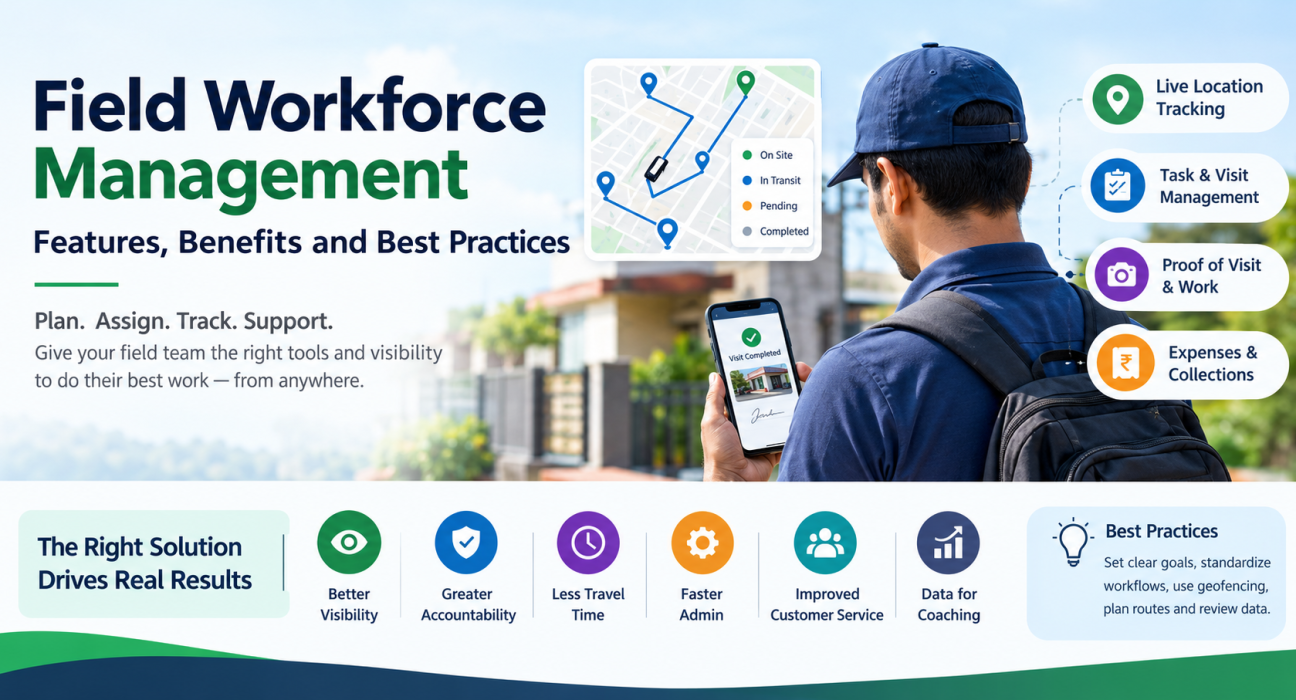
Live Location Tracking and Geofenced Attendance
A live map shows where each employee is and what their status is. In addition, geofenced attendance ties each punch-in to a customer site or work zone. Server-time stamps and mock-location detection then make it harder to fake attendance.
Task, Visit and Job Assignment
Managers should be able to create visits and tasks with priorities, checklists and deadlines. Then the right person receives them on their phone instantly. Assigning by location and workload also cuts back-and-forth calls.
Proof of Visit and Proof of Work
Proof of presence shows that the rep was on site, while proof of work shows what they did. To get both, capture photos, signatures, OTP confirmation or custom form fields before a job closes.
Route and Beat Planning
Route planning sequences the day’s stops, so reps spend less time driving. Beat planning, meanwhile, sets recurring coverage for sales and distribution teams.
Expense and Collection Management
Receipt-backed expense claims with an approval workflow reduce disputes. Similarly, tracking collections from the field to settlement closes a common gap for finance teams.
Custom Forms and Workflows
Every field team works differently. Therefore, look for configurable job types, checklists, approvals and forms. That way, the software fits your process instead of the other way around.
Offline Capability
Network coverage is unreliable in many field locations. For this reason, offline-first apps matter. Reps can punch in and complete visits without a signal, and the data syncs once they reconnect.
Real-Time Reporting and KPIs
Dashboards show visits completed, on-time performance and SLA adherence. As a result, raw activity turns into clear decisions.
Benefits of Field Workforce Management
Better visibility. Managers see the whole team on one screen instead of waiting for end-of-day calls.
Accountability. Geofenced punch-ins and proof capture make it easy to confirm that visits happened. As a result, disputes become easier to settle.
Less travel time. Planned routes mean fewer wasted kilometers. For instance, FieldExecutives states that its AI-optimized beat plans can cut 20–30% of travel time. However, the company notes that such figures are illustrative rather than guaranteed.
Faster admin. Digital attendance, expenses and reports remove manual data entry. Consequently, both reps and back-office staff save time.
Better customer service. SLA timers and structured checklists improve consistency, because every visit follows the same steps.
Data for coaching. Clean activity records help you recognize strong performers. They also show who needs extra support.
Field Workforce Management Best Practices
1. Define What Good Looks Like First
Decide which metrics matter before you choose tools. For example, visits per day, on-time arrival and SLA compliance are common starting points.
2. Standardize Your Workflows
Write down how a visit, service call or collection should run. Then turn that into a checklist, so every rep follows the same steps.
3. Require Proof on Critical Jobs
Make photo, signature or OTP capture mandatory where verification matters most. This way, you can confirm the work without extra calls.
4. Use Geofencing and Server-Side Timestamps
Attendance tied to location and server time is more reliable than self-reported hours. Moreover, it removes arguments about device clocks.
5. Plan Routes Instead of Improvising
A short planning step each morning saves far more time than it costs. First, group nearby visits. Next, sequence the stops logically.
6. Be Transparent About Location Tracking
Tell employees what is tracked, when and why. Also, limit tracking to working hours and get consent. Trust improves adoption, but privacy rules vary, so check what applies to your business.
7. Automate Expenses and Collections
Digital receipts, approvals and settlement tracking reduce disputes and delays. As a result, finance closes the loop faster.
8. Review the Data and Coach
Dashboards only help if someone acts on them. Therefore, hold weekly reviews. Use the data to coach, not just to police.
9. Start With a Pilot
Start with one team or region. Then fix friction points before you expand.
How to Choose Field Workforce Management Software
Before you compare vendors, ask a few practical questions. First, does the platform cover attendance, tasks, tracking, proof, routes, expenses and reporting in one place? Next, does the mobile app work offline? Also, can you configure forms and workflows without code? Finally, is pricing clear as your team grows, and can you try the product first?
In addition, check whether it connects with your CRM, ERP, accounting or HR systems. You should also ask how long setup takes. To weigh your options side by side, see how FieldExecutives compares with typical field apps.
How FieldExecutives Supports Field Workforce Management
Businesses looking to simplify these processes can use field force management software such as FieldExecutives. It brings the core workflow into one platform. For example, managers get a live map with GPS trails, and employees punch in with geofenced, server-time attendance. Mock-location detection adds another layer of protection.
Managers can also assign tasks and visits with checklists and SLA timers. Meanwhile, field staff capture photo, signature and OTP proof, even offline. In addition, AI route and beat-plan optimization helps plan the day.
Expense claims follow an approval workflow, and collections are tracked to settlement. Furthermore, a custom forms builder and configurable workflows adapt the platform to your process. Real-time KPIs and reports then bring everything together.
The platform runs as a mobile app for field employees, a web console for managers and an admin portal for owners. To see how it fits your sector, browse the industry pages. They cover FMCG, pharma, logistics, banking and collections, field service, facility management and more. You can also review the full feature list.
Conclusion
Field workforce management comes down to visibility, accountability and consistency for people who work outside the office. To get it right, start with clear metrics and standard workflows. Then add verified attendance, planned routes and regular reviews. Software makes these practices work at scale.
If your team still relies on calls, spreadsheets and messaging groups, begin with the gaps that cost you most. For instance, attendance, proof of visits and expenses are common starting points. After that, choose a platform that fits your workflow.