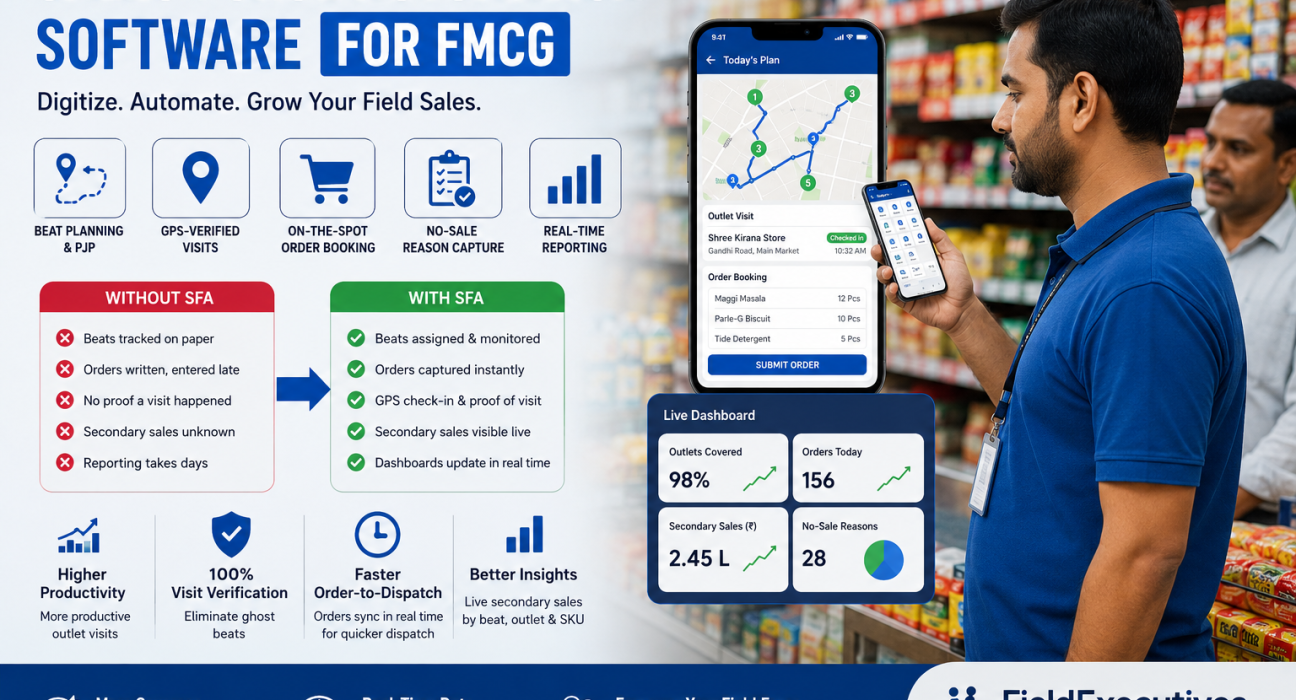
Sales Force Automation Software for FMCG: Complete Guide
If your sales team still fills registers by hand or reports orders over WhatsApp at the end of the day, you already know the problem: by the time numbers reach your desk, they’re stale, incomplete, or simply wrong. Sales force automation software fixes this by digitizing the entire field sales cycle — from beat planning to order booking to secondary sales visibility — in real time.
This guide breaks down what sales force automation (SFA) software actually does for FMCG companies, why general trade makes it different from B2B sales tools, which features matter most, and how to evaluate a platform before you buy one.
What Is Sales Force Automation Software?
Sales force automation software is a digital system that manages and tracks a field sales team’s day-to-day activities — beat plans, retail visits, order booking, and reporting — replacing manual registers, spreadsheets, and messaging apps.
For FMCG specifically, SFA software typically covers:
- Beat and journey planning (PJP) — assigning salesmen a fixed route of outlets to visit
- Order booking — capturing orders and SKU quantities directly at the outlet
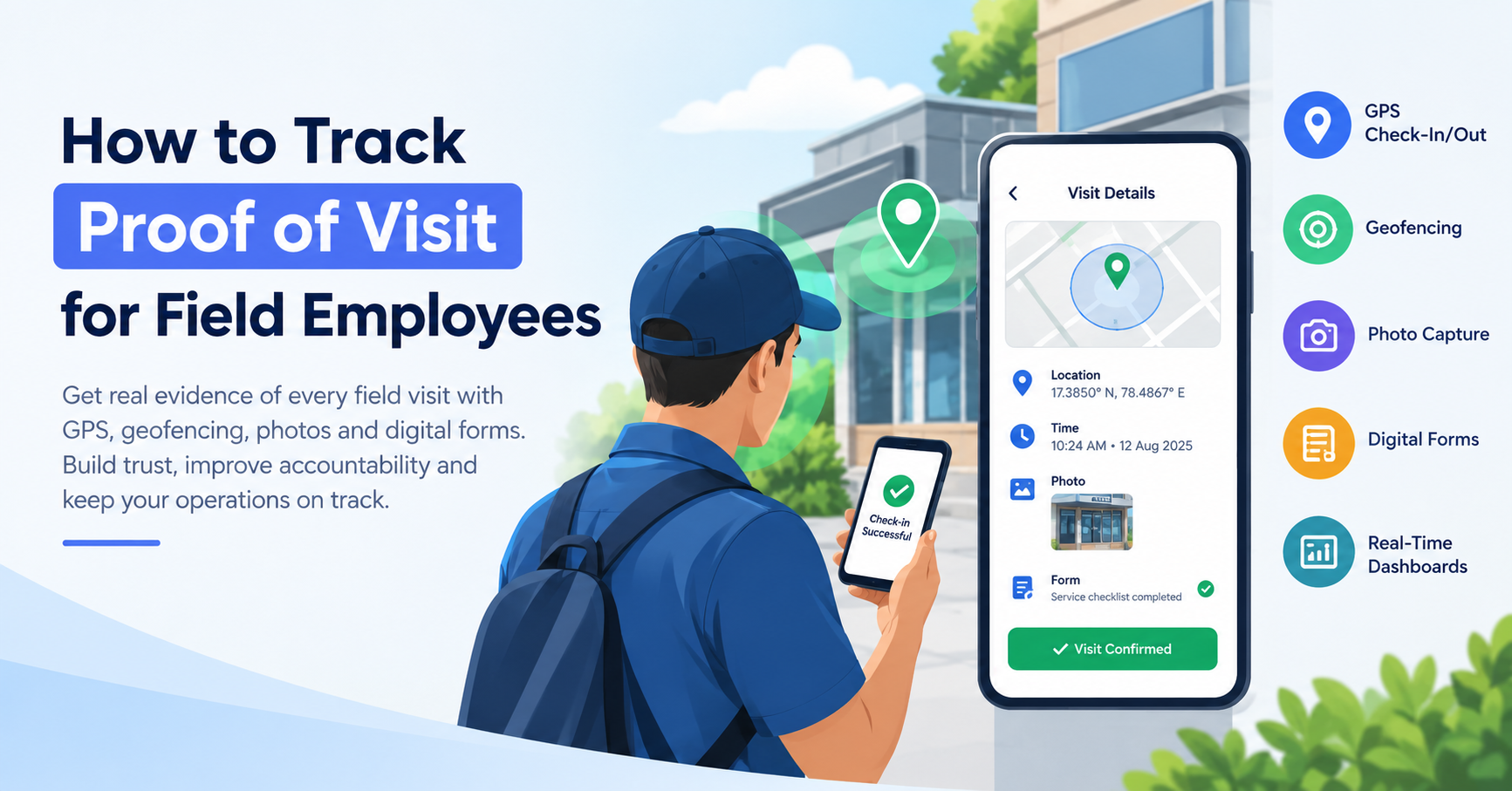
- Retail visit verification — proof that a rep actually visited an outlet, not just claimed to
- Secondary sales tracking — visibility into what distributors sell to retailers, not just what the company ships to distributors
- Reporting and analytics — coverage, productivity, and no-sale reasons rolled up automatically
Why FMCG Companies Need SFA Software
FMCG distribution in India runs largely through general trade. More than 12 million neighborhood kirana stores account for roughly 75–80% of all FMCG sales in the country, and each salesman typically works a fixed route visiting 25–35 retail outlets a day, booking orders, collecting payments, and generating the secondary-sales data brands rely on. SpireStockSpireStock
That density and daily repetition is exactly why manual tracking breaks down. A few outlets get skipped every week without anyone noticing, order data reaches the office a day late, and by month-end nobody can explain why a target was missed.
Common Challenges Without SFA Software
- Skipped or “ghost” beats — outlets marked as visited that were never actually covered
- Delayed order-to-dispatch — orders written on paper and entered into the system hours or days later
- No real secondary-sales visibility — companies see what they ship to distributors, not what distributors actually sell to retailers
- Inconsistent shelf and competitor data — merchandising checks that vary from rep to rep
- Slow, unreliable reporting — sales heads waiting on spreadsheets instead of seeing live numbers
Benefits of Sales Force Automation for FMCG
| Without SFA Software | With SFA Software |
|---|---|
| Beats tracked on paper or not at all | Beats and routes assigned and monitored per salesman |
| Orders written by hand, entered late | Orders captured at the outlet, synced instantly |
| No proof a visit happened | GPS check-in, photos, and no-sale reasons captured |
| Secondary sales known only at month-end | Secondary sales visible live, by beat and SKU |
| Reporting takes days to compile | Coverage and productivity dashboards update in real time |
Key Features to Look for in FMCG Sales Force Automation Software
Not every field app is built for the realities of general trade. When evaluating sales force automation software for FMCG distribution, prioritize these capabilities:
1. Beat Planning and Journey Cycle Plans (PJP)
The software should let managers set fixed or rotating beats per salesman, with the day’s outlets, sequence, and targets pushed directly to their phone — and coverage tracked against that plan.
2. GPS-Verified Retail Visits
How does SFA software confirm a visit actually happened?
By checking in the salesman’s location at the outlet using GPS, geofencing the outlet radius, and flagging visits outside the expected zone. This removes the guesswork around “ghost” beats.
3. On-the-Spot Order Booking
Reps should be able to capture the order, SKU quantities, and stock or shelf photos directly at the outlet — with the data syncing the moment a connection is available, so dispatch can begin the same day instead of the next morning.
4. No-Sale Reason Capture
When an outlet doesn’t place an order, the software should let the rep log why — shutter down, out of stock, competitor scheme — so patterns show up in reporting instead of disappearing.
5. Custom Forms for Outlet and Market Data
FMCG field data goes beyond orders: outlet codes, competitor checks, scheme compliance, shelf share. Configurable forms let a company capture exactly what its trade marketing team needs, without custom development.
6. Real-Time Secondary Sales and Coverage Reporting
What is secondary sales tracking?
It’s visibility into sales from distributor to retailer, as distinct from primary sales (company to distributor). SFA software should roll this up live by beat, outlet, and SKU, rather than waiting for a distributor’s monthly statement.
7. Expense and Collection Tracking
Field reimbursements and payment collections should flow through the same platform, with receipts and settlement tracked end-to-end instead of sitting in a separate spreadsheet.
8. Offline-First Mobile Capture
Rural and semi-urban beats often have patchy connectivity. Field apps need to work offline and sync automatically once a signal returns, otherwise reps either skip data entry or the app itself becomes unusable mid-route.
How Sales Force Automation Software Improves FMCG Field Sales Performance
The direct effects tend to show up in a few consistent places:
- Higher productive-call rates — reps spend less time guessing which outlet is next and more time actually selling, since beats and routes are pre-optimized.
- Fewer skipped outlets — GPS-verified check-ins remove the incentive (and the ability) to mark a visit that didn’t happen.
- Faster order-to-dispatch cycles — orders captured at the outlet sync immediately, instead of waiting for a rep to return to the office.
- Cleaner secondary-sales data — sales heads see beat- and SKU-level performance without waiting on distributor reconciliation.
- Standardized market intelligence — shelf audits, competitor checks, and scheme compliance become consistent across the entire team rather than dependent on individual habits.
Manual Tracking vs. Sales Force Automation Software
| Aspect | Manual Tracking | SFA Software |
|---|---|---|
| Beat coverage | Self-reported, hard to verify | GPS-verified, tracked automatically |
| Order capture | Paper, entered later | Captured live at the outlet |
| Reporting speed | Days to compile | Real time |
| Data consistency | Varies by rep | Standardized via custom forms |
| Fraud/attendance risk | Difficult to detect | Geofencing and server-time punch-ins reduce it |
How Field Force Management Software Like FieldExecutives Helps
Businesses looking to simplify these processes can use field force management software such as FieldExecutives, which is built around the specific way FMCG and distribution teams operate: beats and journey plans set per salesman, outlet visits verified by GPS and geofencing, orders and SKU quantities captured on the spot with shelf photos, and no-sale reasons logged when a call doesn’t convert. Coverage, orders, and sales data sync live, so managers see beat-, outlet-, and SKU-level performance without waiting for month-end reports. [Internal Link Opportunity: FieldExecutives FMCG & Distribution industry page]
The same platform also handles the adjacent parts of field operations that FMCG teams run into daily — [Internal Link Opportunity: FieldExecutives Features page] for route optimization and custom forms, and [Internal Link Opportunity: FieldExecutives Expense & Collections feature page] for payment collection and settlement tracking — so distribution teams aren’t stitching together separate tools for tracking, orders, and money.
Choosing the Right SFA Software for Your FMCG Business
Before shortlisting a vendor, be clear on:
- Team size and beat structure — fixed beats, rotating beats, or a mix
- Connectivity conditions — how much of your coverage is in low-network rural areas
- Data you actually need — order booking alone, or also shelf audits, competitor checks, and collections
- Integration needs — whether the software needs to connect to your existing CRM, ERP, or accounting system
- Deployment timeline — how quickly your team can be trained and live
Avoid over-buying features you won’t use, and avoid under-buying a tool that only tracks location without touching orders, coverage, or secondary sales — since coverage-only tracking solves visibility but not the reporting and dispatch delays that usually cost more.
Conclusion
Sales force automation software solves a problem FMCG companies feel every month: field data that arrives too late, too incomplete, or too unreliable to act on. By putting beat planning, GPS-verified visits, order booking, and secondary-sales reporting into one system, FMCG teams get the coverage visibility and speed that manual tracking simply can’t deliver. If skipped beats, delayed orders, or unclear secondary-sales numbers are recurring headaches for your team, it’s worth evaluating field force management software built specifically for FMCG distribution.