How to Choose Telecalling CRM Software for Your Business
How to choose telecalling CRM software is mostly about asking the right questions in the right order. Most buyers start with demos and feature lists, then feel stuck because every vendor sounds similar. A better approach is to define your own needs first, then test tools against them.
This guide gives you a seven-step process, from writing requirements to running a pilot, so you can pick a calling-focused CRM with confidence.
Disclosure: this blog is published by TeleCalling CRM. The process below works for any vendor, including ours.
How to Choose Telecalling CRM: The Short Answer
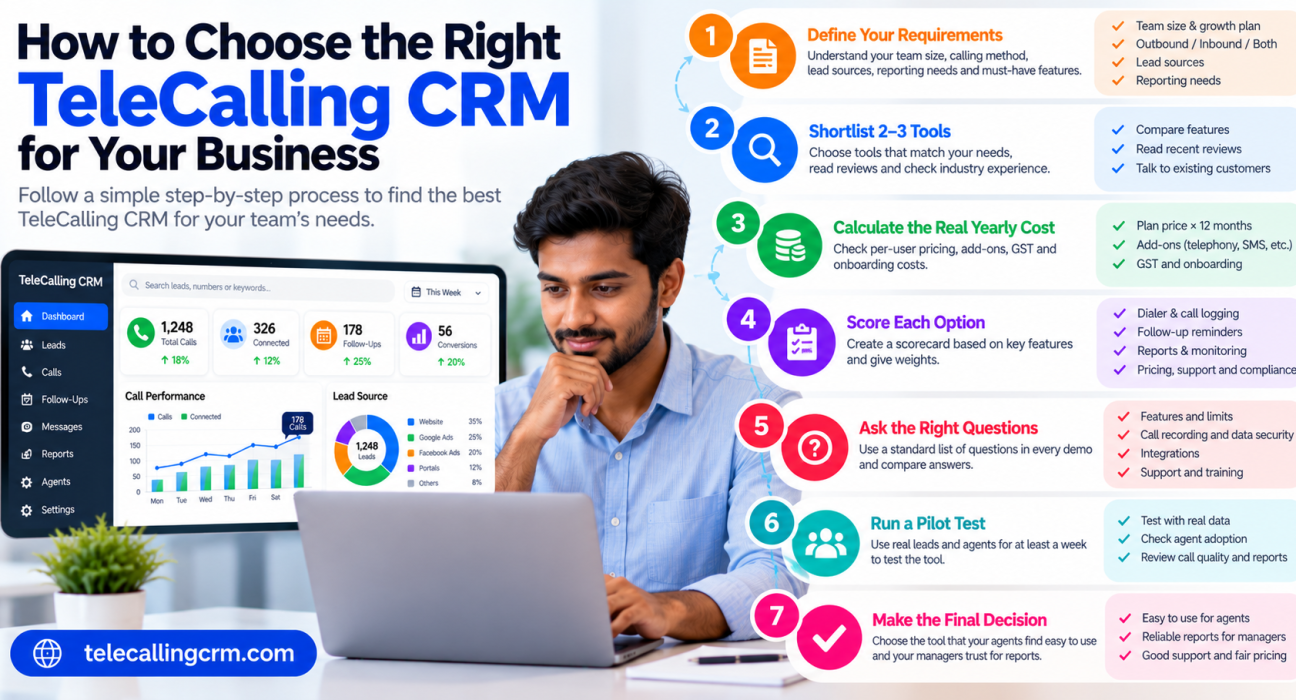
To choose the right telecalling CRM, first list your team size, calling method and lead sources. Then shortlist two or three tools, compare the total yearly cost, and run a one-week trial with real leads and agents. Pick the tool your agents use easily and your managers trust for reports.
How to Choose Telecalling CRM in 7 Steps
Step 1: Define Your Requirements First
Before you open any website, answer these questions with your team:
| Question | Why it matters |
|---|---|
| How many agents do you have now, and in 12 months? | Decides plan size and pricing model |
| Is your work mostly outbound, inbound or both? | Inbound routing and IVR need different tools |
| Do agents call from their own SIM or a cloud number? | Affects setup, cost and call logging |
| Where do your leads come from? | Decides which integrations you need |
| Which languages do agents and customers use? | Matters for scripts, messaging and call analysis |
| Who needs reports, and which ones? | Shapes the reporting you test |
| Do you need call recording? | Affects storage and access rules |
Then split your needs into must-haves (you cannot work without them) and nice-to-haves (useful later). This one list will stop you from being swayed by flashy extras.
Step 2: Shortlist Two or Three Tools
Do not compare ten products, because you will not test them properly. Pick two or three that match your calling method and budget.
Good sources for a shortlist are:
- Peers in your industry
- Review platforms such as Capterra and G2 (read recent reviews, not just ratings)
- Vendor websites, especially the features and pricing pages
Ask each vendor if they have customers in your industry, and whether you can speak to one.
Step 3: Work Out the Real Yearly Cost
Monthly price tags can mislead. First understand the pricing model:
- Per-user pricing: cost rises with every agent you add.
- Flat plan with a seat limit: one price covers a set number of users, but you pay more when you cross the limit.
- Add-ons: telephony, SMS, WhatsApp, AI features or extra storage may cost more.
Use this formula:
Yearly cost = (plan or per-user price × 12) + add-ons + GST + onboarding or training
Hypothetical example for a 10-agent team:
| Item | Tool A (per user) | Tool B (flat plan) |
|---|---|---|
| Base price | ₹500 × 10 users × 12 = ₹60,000 | ₹2,000 × 12 = ₹24,000 |
| Add-ons | ₹0 | ₹6,000 |
| Yearly total (before GST) | ₹60,000 | ₹30,000 |
The point is to compare like with like. Also check what happens at agent number 11.
Step 4: Score Each Tool
A simple scorecard removes guesswork. Give each criterion a weight, score each tool from 1 to 5 and multiply. The weights below are only a starting point, so adjust them to your needs.
| Criterion | Suggested weight |
|---|---|
| Dialer and call logging | 20% |
| Lead capture and assignment | 15% |
| Follow-up reminders | 15% |
| Mobile app | 15% |
| Reports and monitoring | 10% |
| Pricing and transparency | 10% |
| Support and onboarding | 10% |
| Compliance controls | 5% |
For more depth on each criterion, see our ten-point feature checklist.
Step 5: Ask Vendors the Right Questions
Use these questions in every demo and write down the answers.
- What is included in each plan, and what costs extra?
- How is call duration captured on Android and on iPhone?
- Can I import my Excel file, and how are duplicates handled?
- Which of my lead sources connect directly? (Name them.)
- Who can listen to recordings, and where and for how long are they stored?
- How are DNC numbers and calling hours handled?
- Can I export all my data if I leave?
- What are the support hours and channels?
- What is the user limit, and what happens when I cross it?
- What is limited during the free trial?
On compliance, India’s calling rules come from TRAI’s Telecom Commercial Communications Customer Preference Regulations, 2018. A CRM can support compliance through DNC and calling-hour controls, but responsibility stays with your business.
Step 6: Run a 7-Day Pilot With Real Data
A demo shows the best case. A pilot shows the truth.
- Prepare 200–300 real leads, including duplicates and a few wrong numbers.
- Import them and note the time taken and how duplicates are handled.
- Add two or three agents with different phone models.
- Run normal calling days and check that calls, duration and outcomes are logged correctly.
- Set follow-ups and confirm that reminders arrive on time.
- Ask a manager to pull a report. Can they find the day’s numbers in under two minutes?
- Collect agent feedback. If agents dislike the tool, adoption will fail.
Score each tool on your scorecard at the end of the week.
Step 7: Plan the Rollout
Choosing is only half the job. A simple rollout plan helps:
- Clean your data before importing by removing duplicates and invalid numbers.
- Define call outcomes with a short list, such as interested, call back, not interested and wrong number.
- Train agents for an hour, then check logs after the first few days.
- Set one or two targets, such as every follow-up completed on its due date.
- Review weekly and adjust assignment rules and reports.
How to Choose Telecalling CRM for Your Business Type
These are general suggestions, not rules.
| Business type | Look closely at |
|---|---|
| Real estate | Portal and ad integrations, site-visit follow-ups. See Real Estate CRM |
| Education | Counsellor notes, follow-ups, WhatsApp or SMS. See Education CRM |
| Insurance and finance | Recordings, role-based access, renewal reminders. See Insurance CRM |
| Call centres | Live monitoring, roles, reporting. See our call centre CRM guide |
| Small startup | Easy setup, clear pricing, mobile app |
Common Mistakes When You Choose Telecalling CRM
- Buying on price alone. A cheap tool that agents avoid costs more in lost leads.
- Skipping the pilot. Demos never show how a tool behaves with your data.
- Ignoring agents. The people who use it daily should have a say.
- Overbuying. Pay for what you need now, and check that you can upgrade.
- Forgetting the exit. Make sure you can export your data.
- Importing dirty data. Clean first, import second.
How TeleCalling CRM Fits This Process
Based on its website, TeleCalling CRM is built for outbound telecalling teams in India. It lists:
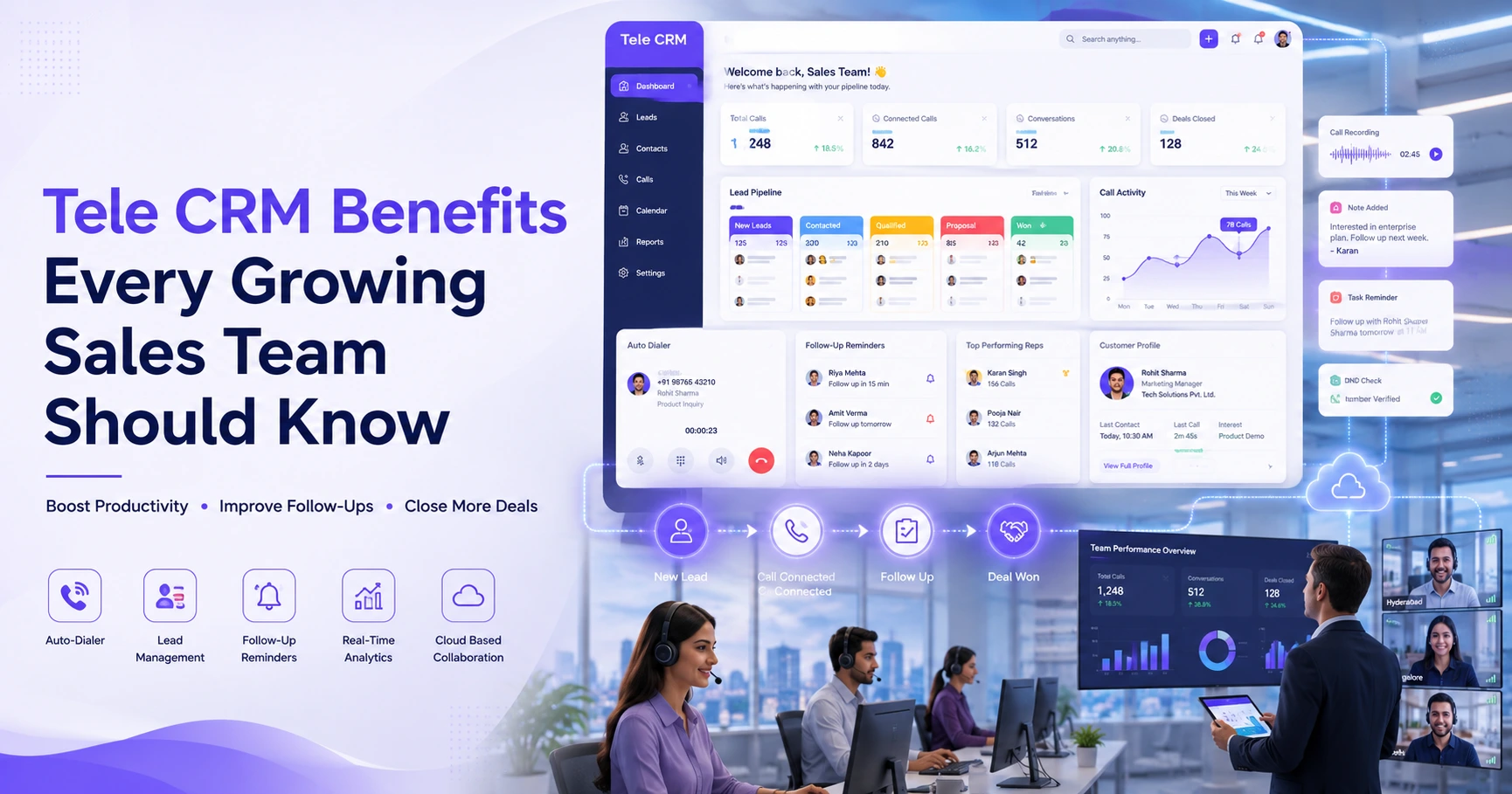
- A smart auto dialer with automatic call duration capture and one-tap outcome logging
- Lead import, de-duplication, DNC checks and rule-based assignment
- Follow-up scheduling with reminders and overdue alerts
- Encrypted call recording and AI call analysis
- A sales pipeline with deal values and forecasting
- 12+ lead-source integrations, including Facebook and Instagram Lead Ads, Google Ads, 99acres, MagicBricks and JustDial
- SMS, email and WhatsApp messaging, a live war room, reports and an Android and iOS app
Per its pricing page, Basic is ₹999 per month for up to 5 users and Pro is ₹1,599 per month for up to 10 users, excluding GST. The website also mentions a 3-day free trial, which is short, so prepare your test data before you start. Compare the features page with your requirements list.
If you need inbound call routing or IVR, these are not listed on its features page, so confirm with the team first.
FAQs: How to Choose Telecalling CRM
What should I look for first in a telecalling CRM?
Start with your calling method, team size and lead sources, then check the dialer, follow-up reminders, call logging and reports. These decide whether the tool fits your daily work.
How to choose telecalling CRM for a small business?
Look for quick setup, a simple dialer, follow-up reminders, a mobile app and predictable pricing. Avoid complex suites that need long onboarding, and test the tool with your real leads before paying.
How many telecalling CRMs should I compare?
Two or three. More than that makes proper testing difficult. Shortlist based on your requirements, then test each with the same set of leads.
How to choose telecalling CRM pricing: per-user or flat?
It depends on team size and growth plans. Calculate the yearly cost for your current and expected team, including add-ons and GST, and check what happens when you add agents.
Is a free trial necessary?
Yes, it is strongly recommended. A trial with your own leads and agents shows import quality, call logging and reports far better than a demo.
Can I move from Excel to a telecalling CRM easily?
Most tools support CSV or Excel imports. Clean your sheet first, then test how duplicates and wrong numbers are handled before importing everything.
Does a CRM make my business compliant with TRAI rules?
No tool can guarantee that. A CRM can help with DNC lists and calling-hour controls, but your business must follow TRAI’s current rules and take professional advice if needed.
Conclusion
The best way to choose a telecalling CRM is to define your needs, compare the true yearly cost, score two or three tools and test them with real leads. Involve your agents and managers, because their daily experience will decide whether the CRM succeeds.
Once your requirements are clear, you can review telecalling software plans and run a trial against your own checklist.