Best Customer Communication Management Software for Sales Teams
A lead speaks to your agent on a call, asks for details on WhatsApp, and replies to an email two days later. If those three conversations sit in three places, the next agent has no idea what was said. Sales teams that use customer communication tools built for selling can keep every conversation on one lead timeline, so the next call starts with full context.
This guide explains what customer communication management software means, the types of tools available, what sales teams should look for, and how to choose. It is written for business owners, sales managers and calling teams in India.
What Is Customer Communication Management Software?
Customer communication management (CCM) software is a platform for creating, managing and delivering communication to customers across channels such as email, SMS, social media and print, as Mailmodo’s guide describes it. It helps keep messages consistent, organised and trackable instead of scattered across personal phones and inboxes.
The term has two common meanings. In large enterprises, CCM usually means tools that generate statements, bills and policy letters at scale. For sales and service teams, it usually means software that brings conversations from different channels into one place. TrustRadius also separates CCM from CRM and contact center software, noting that each plays a different role.
This article focuses on the second meaning, because that is what most sales teams need.
What Is the Best Customer Communication Management Software for Sales Teams?
The best option depends on what you need to communicate. Enterprise CCM platforms suit regulated documents such as statements and policy letters. Support inbox tools suit service teams. Sales teams usually need a CRM that combines calling, WhatsApp, SMS and email on each lead’s timeline, with follow-up reminders and clear ownership.
Three Types of Tools Sales Teams Often Compare
Search results for this keyword mix several kinds of software. Knowing the difference saves time.
| Type of tool | Best suited for | Typical strength | Typical gap for sales teams |
|---|---|---|---|
| Enterprise CCM platforms | Banks, insurers, utilities | Document templates, print and digital output, compliance controls | Not designed for daily lead calling and follow-ups |
| Shared inbox and helpdesk tools | Customer support teams | Ticketing, shared email and chat | Usually lack lead scoring, pipeline and call workflows |
| Sales CRM with built-in communication | Sales and telecalling teams | Calls, messages, follow-ups and pipeline together | Not meant for bulk statements or document composition |
Many businesses use more than one type. A bank, for example, may use an enterprise CCM tool for statements and a sales CRM for its loan outreach team.
Why Sales Teams Need Communication in One Place
Communication problems in sales are rarely about effort. They come from fragmented records:
- Conversations are split across calls, WhatsApp chats, SMS and email.
- Agents use personal phones, so history leaves with them.
- Managers cannot see what was promised to a lead.
- Follow-ups are noted in different places, so some are forgotten.
- Messages are written from scratch each time, so quality varies.
A good system fixes this by attaching every interaction to the lead, not to the agent.
Key Features to Look For
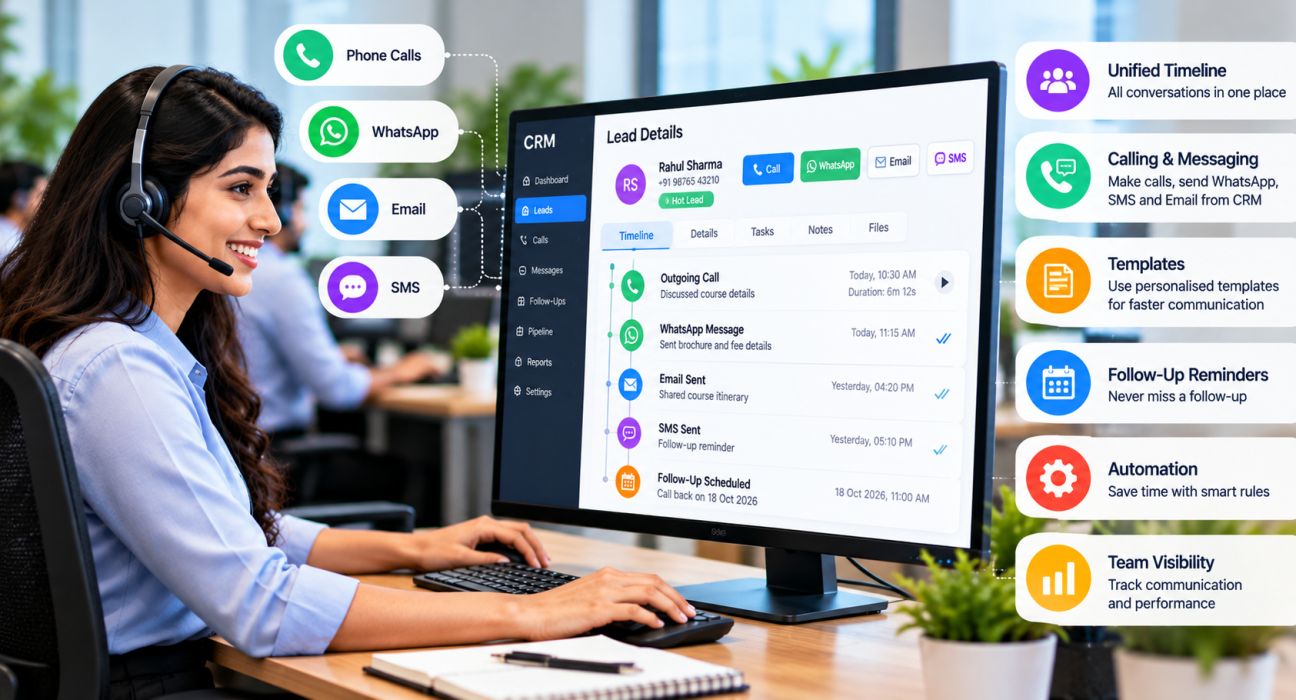
1. A Unified Timeline for Each Lead
Look for one view that shows calls, notes, WhatsApp, SMS and email for each lead. When someone new picks up the lead, they should understand the story in under a minute.
2. Calling and Messaging in the Same Tool
Sales teams in India often call first and follow up on WhatsApp. If the tool handles both, agents do not have to switch apps. Check whether call duration, outcome and recordings are saved automatically.
3. Templates with Personalisation
Reusable templates keep messages consistent and save time. Personalisation, such as the lead’s name or course, makes them feel less generic. Confirm that templates can be used for bulk sends and scheduled messages as well.
4. Links to Follow-Ups
A message is only useful if the next step is clear. The best tools tie communication to follow-up reminders, so a promised callback or document is never lost.
5. Automation
Rules can send a template after a call outcome, assign a new lead or alert a manager. Start with a few simple rules and review them regularly.
6. Permissions and Recording Controls
Not everyone should see everything. Look for role-based access, secure recording storage and the ability to limit what agents can view.
7. Reporting
Managers need to see calls, messages, response patterns and overdue follow-ups by agent. Useful reports connect communication to outcomes.
8. Compliance Basics
For outbound calling and messaging in India, check support for Do Not Call lists, calling-hour limits and SMS registration (DLT). Confirm the exact requirements with your legal advisor.
How to Choose the Right Software in 6 Steps
- List your channels. Note which channels your leads actually use, such as calls, WhatsApp, SMS and email.
- Identify your biggest gap. Is it lost history, missed follow-ups or inconsistent messages?
- Decide which type of tool you need. Use the comparison table above to separate enterprise CCM, support inbox and sales CRM needs.
- Check how messaging is sent. Ask whether SMS and email use your own accounts, and how WhatsApp is handled.
- Run a trial with a real lead list. Let two or three agents use it for several days.
- Review pricing for your team size. Compare per-user and flat pricing over a full year.
For a wider checklist, read our guide on how to choose the best telecalling CRM.
Practical Examples
These are hypothetical examples to show how unified communication helps.
Education: A counsellor calls a parent about admission, then sends course details on WhatsApp using a template. A colleague who takes over the lead the next week can see the call notes and the message. An education CRM setup keeps this history in one place.
Insurance: An agent speaks to a customer about a renewal and emails the policy summary. A reminder is scheduled for the next call. If the customer replies on WhatsApp, the reply appears on the same timeline. See how this fits an insurance CRM.
Real estate: A buyer enquires through a portal, receives an SMS with project details, and speaks to an agent later. Every touchpoint is logged against that lead, so two agents do not give conflicting information.
Common Mistakes to Avoid
- Buying the wrong type of tool. An enterprise document platform will not fix a lead follow-up problem.
- Letting agents use personal chats. Conversations outside the system are lost when agents leave.
- Over-messaging. Too many automatic messages can irritate leads.
- Skipping templates. Without them, message quality and tone vary widely.
- Ignoring compliance. Contacting people who have opted out can create legal and reputation risks.
- Not training the team. A tool agents find confusing will not be used consistently.
How TeleCallingCRM Can Help
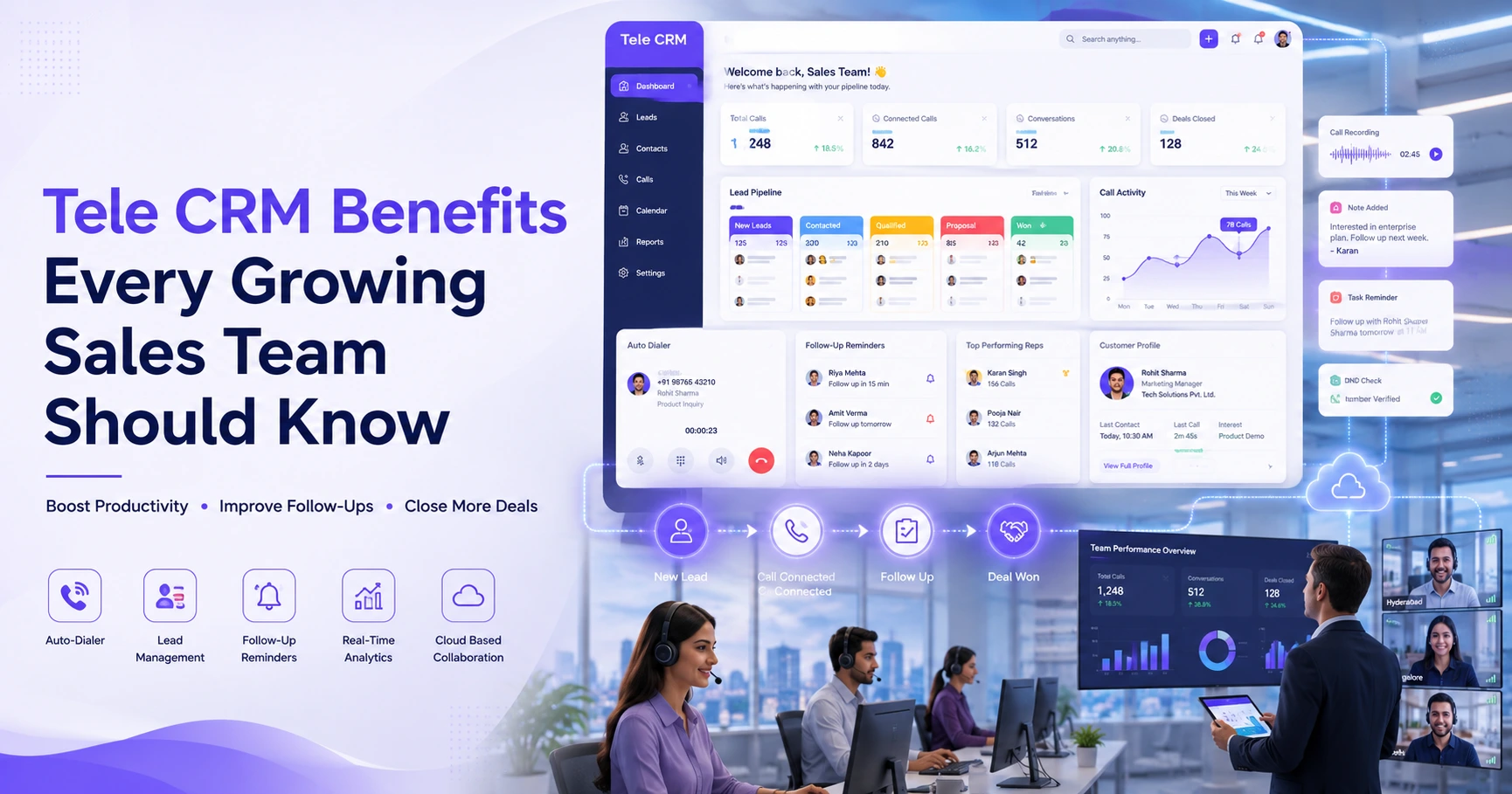
TeleCallingCRM is a CRM for outbound calling teams in India. It is not an enterprise CCM platform for statements or print. Based on its website, the features most relevant to sales communication are:
- Unified inbox: SMS, email and WhatsApp appear on one timeline for each lead.
- Messaging channels: SMS through MSG91 with DLT, email through your own SMTP, and WhatsApp templates.
- Templates and sending options: Reusable templates with per-lead personalisation, bulk sending and scheduled messages.
- Call history: Call duration, outcome, recordings and notes are stored on the lead.
- Mobile app: Agents can call, or send WhatsApp, SMS or email in one tap, on Android and iOS.
- Follow-ups and automation: Reminders, overdue alerts and workflows that can send messages as an action.
- Controls: Role-based permissions, DNC enforcement and a calling-hours window.
The website lists flat monthly pricing from ₹999 for up to 5 users, with all features in every plan and a 3-day free trial.
Limitations to keep in mind: If you need large-scale document generation, print output or a full support ticketing system, a dedicated tool may suit you better. AI call analysis is described as an opt-in setting. Use the trial to test your real channels and workflows before deciding.
Frequently Asked Questions
What is customer communication management software?
It is software that helps businesses create, manage and deliver communication to customers across channels such as email, SMS, social media and print. It keeps messages consistent and trackable. Enterprises use it for documents like statements, while sales and service teams use it to manage conversations.
What is the difference between CCM and CRM?
CRM focuses on managing customer relationships, leads and sales pipelines. CCM focuses on creating and delivering communication across channels. In practice they overlap, and many sales CRMs now include messaging, templates and a combined communication history for each lead.
Which communication software is best for sales teams?
Sales teams usually do best with a CRM that combines calling, WhatsApp, SMS and email, along with follow-up reminders and pipeline tracking. Enterprise CCM tools suit regulated documents, and support inbox tools suit service teams, so match the tool to your main need.
Do I need a separate tool for WhatsApp, SMS and email?
Not necessarily. Many CRMs let agents send and track all three from one place. A single tool reduces switching and keeps history together. Check how each channel is connected and what accounts or registrations are required.
How can I keep customer communication consistent across agents?
Use shared templates, assign each lead a single owner and keep all conversations inside the CRM. Review a sample of messages regularly and update the templates when your offers change.
Is it safe to send automated messages to leads?
It can be, if done carefully. Use approved templates, respect opt-outs and Do Not Call lists, and avoid sending too many messages. Check the rules that apply to your business with a legal advisor.
Does TeleCallingCRM offer SMS, email and WhatsApp messaging?
According to its website, TeleCallingCRM supports SMS via MSG91 with DLT, email through your own SMTP, and WhatsApp templates, with a unified inbox for each lead. Check the features page for current details.
Conclusion
The right customer communication management software depends on who you are talking to and why. Enterprise tools handle documents at scale, and support tools handle tickets. Sales teams mainly need every call, message and follow-up in one place, tied to the lead.
If your team works mostly through calls, sales calling software that also manages WhatsApp, SMS and email can be a practical option. Test it with a real lead list and keep it only if it fits how your team works.